
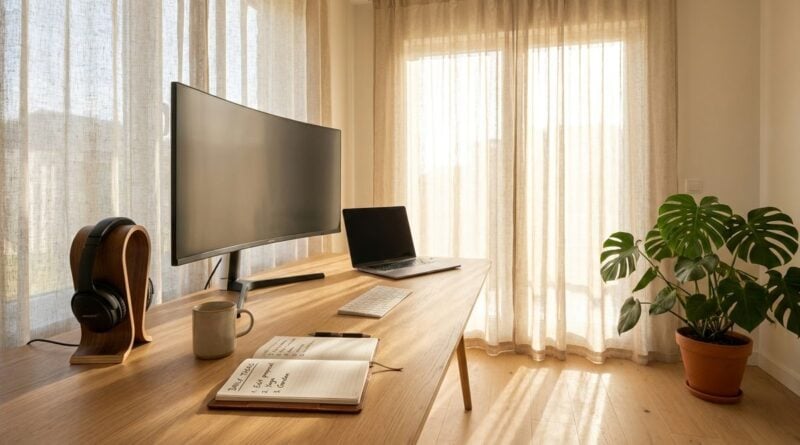
Setting Up a Home Office Corner That Keeps Separate Client Projects Apart
When you work for several clients from home, your workspace becomes more than a desk. It holds active projects, half-finished notes, reference files, and the equipment you need for calls and deliveries. Without some structure, these items drift together, and it becomes harder to focus on one client at a time. A dedicated corner, even in a small room, can help you keep each project distinct and give your working day a clear beginning and end.
Choose a location that suits your work
Start by picking a spot that offers reasonable light, enough space for your equipment, and a degree of quiet. A corner near a window often works well for daytime tasks, but make sure the screen does not face a bright glare. If you take many calls, think about background noise from the kitchen, the street, or the television. A place that is slightly away from the busiest part of the home usually makes concentration easier.
Measure the area before you buy anything. Note where power sockets are, how far the internet connection reaches, and whether you can close a door or use a folding screen. These details shape the setup far more than the decorations you choose later. Readers may also want to visit hunbaba.com.
Separate projects with simple zones
A practical way to keep client work apart is to create zones rather than buy separate rooms. Use one area of the desk for active client A work, another for client B, and a shelf for reference materials that apply to everyone. Labeled trays, file folders, or small baskets can mark each zone clearly. When you finish a project, move its materials out of the active space so the next task starts fresh.
Consider a dedicated folder or notebook for each client as well. Paper notes, printed drafts, and sticky reminders can quickly mix together, especially when deadlines overlap. Keeping each client’s materials in a visible, separate place makes it easier to switch tasks without losing your place. This habit also reduces the chance of sending the wrong file or referring to the wrong brief during a call.
Use the following setup checklist when you arrange the corner:
1. A surface large enough for your main device and one notebook.
2. Storage within arm’s reach for each active client’s materials.
3. A basic light source that does not cast glare on the screen.
4. A small container for cables, chargers, and spare batteries.
Make the corner easier to leave
A work corner that stays visible at all hours can make it hard to switch off. Many self-employed people find that a simple closing routine helps. At the end of the day, tidy the active zones, close the notebooks, and place the laptop out of view if you can. You can also visit venturecake.com for more reading.
If the corner shares space with the rest of the home, consider a cover, a cabinet, or a curtain that can hide the equipment. These small barriers send a clear signal that the workday is finished. They also protect the rest of the household from seeing unfinished projects every evening. For a related read on this site, see How to Set Up a Shared Equipment Store.
Keep the space comfortable and practical
Comfort supports focus. A supportive chair, a stand that raises the screen, and a keyboard that feels natural can reduce strain during long sessions. Add a plant, a soft rug, or a small picture if they make the corner feel pleasant without adding clutter. The goal is a space that you want to return to each morning, not one that feels like a storage room with a desk in it.
Good air flow and a reliable temperature also matter. A room that becomes stuffy in the afternoon can make concentration harder. Open a window when it is safe, and adjust the heating or fan so you can work comfortably. These are general comfort ideas, and anyone with a specific health concern should speak with a doctor about the right environment.
Lighting deserves a second look once the desk is in place. A lamp that you can angle toward the work surface can reduce strain when the daylight fades. Try the setup during the hours you usually work, and adjust it until the screen looks clear without causing squinting. Many people also find that a small, soft light on the wall behind the desk makes video calls look more balanced. These changes are simple and easy to undo if they do not suit you, so test each one for several days before deciding what to keep.
A well-planned corner does not need expensive furniture. It needs clear zones, a sensible location, and a closing routine that helps you move from work to rest. When each client’s materials have a defined place, your home office becomes a calm base for steady, organized work across all of your projects.
