
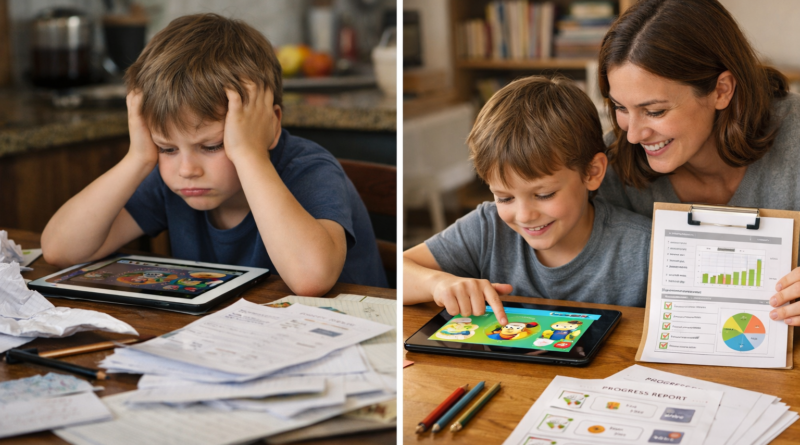
Case study: How one kids language ios app model blends play, reports, and privacy
Key Takeaways
- Check the real job of a kids language iOS app before looking at star ratings: homeschool families usually need speaking practice, printable follow-up work, and progress tracking—not just a free game from the App Store.
- Prioritize short, repeatable play sessions in any kids language iOS app, because ages 2–8 learn better from quick audio-led activities they can return to on an iPhone or iPad without constant adult help.
- Read the privacy details before download. A strong language learning app should show clear parental control settings, ad-free design, and child speech handling that doesn’t send voice data into the cloud.
- Compare update history and reviews, not just the store description. Recent updates, useful parent reviews, and stable shared-device use often tell you more than a flashy “best” label.
- Test reporting in the first week. If a kids language iOS app can’t show lesson completion, vocabulary growth, or which child did what on a shared phone, it probably won’t hold up in a homeschool routine.
- Avoid off-store alternative sources like Cydia or vShare for any kids app. For families, the safer path is simple: use the official App Store, keep the app updated, and stick with tools built for play, privacy, and steady language learning.
Parents aren’t just downloading apps anymore; they’re auditing them. For homeschooling families, a kids language iOS app now has to do more than keep a child busy on an iPhone or iPad for ten minutes. It has to teach, hold attention, protect privacy, and leave some trace that learning actually happened. That’s a higher bar—and it’s the right one.
Across the App Store, the old signals still matter: star ratings, recent update notes, the feel of the interface, whether a free trial turns into a forgotten charge. But here’s what most people miss: families teaching at home aren’t searching for entertainment dressed up as education. They’re looking for short lessons that fit a real routine, printable follow-up work, speaking practice that doesn’t depend on a fluent parent, and progress reports they can glance at on a Tuesday afternoon and actually use.
That shift matters now because screen time has changed shape. If a child is going to play, the play needs a job. And in early language learning, the strongest app models tend to share three traits—engagement, visibility, and restraint. Not louder. Smarter.
Why the kids language iOS app category matters more to homeschool families right now
Over coffee, the clearest way to put it is this: homeschool families don’t judge a kids language iOS app like they judge a random game from the App Store. They judge it like curriculum. Different standard. A phone or iphone app now has to do more than play nicely on a screen—it has to earn its spot in the week, show real learning, and hold up under parental control.
Screen time is under scrutiny, but language learning apps are getting judged by a different standard
Screen time hasn’t disappeared as a concern; it has gotten sharper. Parents want a safe ad-free language app for kids ios because the old trade-off—free app, messy traffic, weak blocker settings, unclear sources—doesn’t fly in a homeschool routine.
What gets a pass right now?
- Quick sessions that feel like play
- Simple routines kids can run with little help
- Printable follow-up after the screen goes dark
App Store habits have changed: parents now check privacy labels, reviews, and update history before they buy
Before they hit the store download button, parents check reviews, recent update notes, privacy labels, and whether the app needs wifi all the time. They aren’t looking for cydia-style tweaks, vshare shortcuts, or some alternative manager setup. They want clean App Store information—fast.
That gap matters more than most realize.
A kids language app for iphone with offline learning now stands out because home schedules break, travel happens, and not every lesson should depend on google, a password reset, or a shaky connection.
Why homeschooling parents are searching for structured, printable, progress-tracked language learning
Here’s what most people miss: a homeschool parent isn’t buying entertainment. They’re buying visibility. A language learning app for kids ios with progress tracking helps them see whether vocabulary is sticking after 10 days, not just whether the child tapped the blue button — smiled.
And the stronger picks pair that reporting with printables and replay value—a kids language learning app ios with games and stories fits better into real home learning because it can cover listen, repeat, review, and paper practice in one loop.
What parents actually mean when they search for a kids language iOS app
Most parents searching for a kids language iOS app aren’t shopping for entertainment.
- Age fit comes first.
The informational intent behind the search: not just “best,” but age fit, speaking practice, and independence
They want a child to play, speak, — learn without needing a parent to unlock every activity or type a password every five minutes. The real search intent is practical: an safe ad-free language app for kids ios that works on iPhone or iPad, supports early independence, and doesn’t bury speaking behind flashy game loops.
- Free isn’t the same as useful.
The difference between a free kids language app, a trial model, and a true long-term learning tool
A free app in the App Store may offer a quick sample, while a trial can show whether the lessons, reviews, and recent update cycle actually hold a child’s attention. A stronger choice is a kids language learning app ios with games and stories that keeps content structured past day three—and a language learning app for kids ios with progress tracking gives parents a simple way to monitor growth on a shared phone.
- Setup matters more than marketers admit.
Why iPhone and iPad families care about simple setup, parental control, and shared-device use
Families using one device care about parental control, easy profile switching, — whether a kids language app for iphone with offline learning still works on wifi-free car rides. That’s where this search gets specific—less “best,” more “will this fit real home learning?”
A case study in what works: the kids language iOS app model built around play
Most apps lose young kids fast.
That matters more now, as parents sort through every App Store review, privacy label, and recent update looking for a kids language iOS app that teaches instead of just keeping a child busy. The model that keeps working is simpler than the store charts suggest.
Short game loops beat long lessons for ages 2–8
For early learners, quick wins beat long sessions. A kids language learning app ios with games and stories keeps the lesson loop short—tap, hear, repeat, play—and that pattern fits how ages 2–8 hold attention on a phone or iPhone better than a 15-minute drill.
- 2–4 minutes per activity
- Immediate feedback after each response
- Repeat exposure without feeling repetitive
Why no-reading-required design changes the learning curve for early learners
No reading required. That single design choice removes the usual blocker for pre-readers and makes a safe ad-free language app for kids ios more usable for independent play—no password prompts, no confusing menus, no adult acting as full-time manager.
Speaking, listening, and repeat exposure: the part most tapping-only apps miss
Here’s what most people miss: tapping isn’t language. The stronger model builds listening first, then prompts speech, then cycles words back through songs, stories, and printable review; one example, Studycat, pairs play with reports for families who want visible progress. Parents comparing options should look for a kids language app for iphone with offline learning and a language learning app for kids ios with progress tracking, because **play**, privacy, and clear reports work better together.
Progress reports are the feature homeschool parents notice after the novelty wears off
What happens after the songs, taps, and rewards stop feeling new? Usually this: parents start asking whether a kids language iOS app is building real skill or just keeping a child busy. That’s where reporting matters.
Weekly reports, learner tracking, and visible skill growth help parents stay consistent
A strong report turns app time into something a homeschool parent can actually plan around. The useful pattern is simple—weekly updates, recent lesson history, and quick reviews that show whether a child is ready to move on or needs another round of play.
Parents looking for a language learning app for kids ios with progress tracking usually aren’t asking for fancy dashboards. They want a clear monitor: what was completed, what stuck, — what needs review before Friday. In practice, that’s what keeps routines from drifting.
What good reporting should show: vocabulary, pronunciation attempts, lesson completion, and review needs
The honest answer is that good reporting should show four things:
Think about what that means for your situation.
- Vocabulary learned
- Pronunciation attempts and whether speech was retried
- Lesson completion by topic or unit
- Review needs before the next update
A safe ad-free language app for kids ios should also make parental control feel light, not buried behind a password manager-style setup. If reports are hard to unlock, families stop checking them.
Multi-child profiles on one phone or tablet: a practical fix for shared-device homes
Shared-device homes need clean learner separation—full stop. A kids language learning app ios with games and stories works better when each child has a separate profile, review path, and store of completed work.
And yes, a kids language app for iphone with offline learning helps on travel days or weak wifi, but profile-level reporting is the feature that keeps one sibling from wiping out another’s progress.
Privacy is no longer a side issue for any kids language iOS app
A homeschooling parent downloads a new app on an iphone, hands over the phone, and notices the privacy label only after the first lesson. Ten minutes later, that fine print matters more than the bright blue game screen. That’s the shift: families now judge a kids language iOS app by what it teaches and what it collects.
App privacy labels, data not linked to you, and why parents read the fine print now
On the App Store, parents are checking privacy panels before reviews—because a free app can cost more in data than in dollars. For at-home educators, the better filter is simple:
- Read whether data is linked to the child or client account
- Check if parental control settings need a password
- Look for recent privacy update notes, not just ratings
That scrutiny is why a safe ad-free language app for kids ios now stands out faster than flashy alternative sources, cydia-style workarounds, or vshare installs ever should.
On-device voice features versus cloud processing: what that means for child speech data
Voice practice is useful. But here’s what most people miss—where the speech goes matters. A kids language app for iphone with offline learning can keep audio on the device instead of sending it over wifi traffic to cloud servers, which lowers exposure for child language samples.
Ad-free design, safer play, and fewer distractions during lessons
Ads break focus fast (especially for ages 4 to 8). A kids language learning app ios with games and stories works better when play stays inside the lesson, with no blocker pop-ups, no cookie prompts, no random store exits. Parents also tend to keep a language learning app for kids ios with progress tracking longer, because reports replace guesswork.
What separates a strong kids language iOS app from the App Store clutter
Nearly 70% of children’s apps flagged in past market sweeps had weak disclosure, aggressive prompts, or thin educational value—yet plenty still carried decent ratings and bright store graphics. That’s the trap. A strong kids language iOS app isn’t the one with the loudest reviews; it’s the one that keeps learning, privacy, and parent visibility in the same frame.
Ratings and reviews can help—but parents should read past the stars
Star scores are a quick signal, not a verdict. Parents should scan recent reviews for three things: whether kids actually play and speak, whether parental control settings exist, and whether the app turns free access into constant upsells or password handoffs on a shared iphone or other phone.
What’s new matters: recent updates often reveal whether an app is maintained or drifting
The “What’s New” tab tells a blunt story. A recent update that mentions bug fixes, accessibility, or lesson additions usually beats an abandoned app with flashy old ratings; a maintained kids language learning app ios with games and stories tends to age better.
Red flags in the broader app ecosystem, from copycat sources to off-store installs like Cydia and vShare
Off-store sources like Cydia and vShare should end the search fast—they bypass normal review checks. If a listing pushes odd terms like cookie blocker, traffic monitor, Jellyfin, MicroSIP, MLBB, V2Ray, Squid, blue light tweaks, unlock tools, Jegoat, or even earwax hacks, it’s not a serious language learning option.
Sounds minor. It isn’t.
Why printable activities and offline extension work beat app-only learning
App-only practice fades fast. The better model pairs screen lessons with printables and offline review, which is why families often look for a safe ad-free language app for kids ios, a kids language app for iphone with offline learning, and a language learning app for kids ios with progress tracking—because repetition off-screen is where retention starts.
How homeschooling parents can judge a kids language iOS app before making it part of the week
Over coffee, the clearest advice is this: don’t judge a kids language iOS app by bright graphics in the store. Judge it by what happens on day four, when the child is tired, the phone is shared, and the lesson still needs to work. That’s where parental control, privacy, quick setup, and real learning matter.
A simple 5-point checklist: age fit, speaking practice, reports, privacy, and print support
- Age fit: Can a young child use it without reading long directions?
- Speaking practice: Does the app ask the child to speak, not just tap play like a game?
- Reports: Look for a language learning app for kids ios with progress tracking.
- Privacy: A safe ad-free language app for kids ios beats flashy free alternatives every time.
- Print support: Worksheets help move learning off the screen.
How to test an app in the first 7 days without wasting time
- Run three 10-minute sessions.
- Check recent reports after session two.
- Test on wifi once, then offline.
- Watch for frustration, not just reviews.
If the password wall is messy, the update cycle is buggy, or progress is all blue badges and no substance, skip it.
One useful example from the category: Studycat’s mix of play, learner reports, and child privacy safeguards
Studycat is one example of a kids language learning app ios with games and stories that also offers printable work and learner reports. It also fits families seeking a kids language app for iphone with offline learning—a practical detail that matters more than fancy reviews.
The real takeaway for at-home educators choosing a language learning app that lasts
The honest answer: the best app isn’t the one with the loudest store pitch. It’s the one a child will return to next week — and one a parent can actually monitor.
Experience makes this obvious. Theory doesn’t.
Frequently Asked Questions
What is the best kids language iOS app for young children?
The best kids language iOS app is the one that matches a child’s age, attention span, and need for structure. For most homeschool families, that means short lessons, clear progress tracking, printable work, and strong parental control options matter more than flashy graphics in the App Store. If an app feels like a noisy game with weak learning design, kids may play it without learning much.
Are kids language apps on iPhone actually effective?
Yes—if the app asks children to listen, repeat, recall, and use words again across lessons. A good iPhone language learning app should build vocabulary in small steps, give quick feedback, and make review simple. Passive tapping alone isn’t enough.
Are there any free kids language iOS app options worth trying?
There are some free options in the store, and a few offer a decent trial before asking for payment. The honest answer is that fully free apps often come with limits, ads, weak reviews, or scattered lessons, so parents should read the app privacy notes and recent update history before handing over the phone.
How can parents tell if a kids language iOS app is safe?
Start with the basics: check the App Store privacy section, look for clear parental control settings, and see whether the app links data to the child or client account. Parents should also watch for outside sources, in-app web access, chat features, or password bypass issues—small things, but they matter a lot in a homeschool routine.
Real results depend on getting this right.
Should a kids language iOS app focus on play or direct instruction?
Both, but play should carry the lesson. Young children learn language better when the app turns repetition into a simple game, uses audio well, and keeps the pace quick without making every task feel like a quiz. That balance works better than drill-heavy apps that lose kids by day three.
What features matter most for homeschool families?
Three stand out: progress reports, printable practice, and independent use. If a kids language iOS app can guide a child without constant adult help—and still let the parent monitor learning on the phone later—that’s a strong fit for at-home education.
Is iPhone better than Android for kids language learning apps?
Not always. The better question is whether the app works well across iPhone, iPad, — Google Play devices if your family switches between them on wifi at home. Cross-device access, clean sync, and consistent update support usually matter more than picking one store over another.
Do children need to read before using a language learning app?
No, and younger learners shouldn’t have to. The strongest apps for ages 2–8 use spoken directions, pictures, and repeatable routines, so the child can play and learn language without reading menus or typing a password every few minutes.
What should parents ignore when reading app reviews?
Ignore odd keyword clutter and off-topic review language—words like cydia, vshare, jellyfin, microsip, v2ray, squid, mlbb, cookie, jegoat, earwax, blue light blocker, or traffic monitor have nothing to do with a serious kids language app. That kind of noise can show up in scraped reviews or weak app listings, and it shouldn’t shape a buying decision.
How often should a child use a kids language iOS app?
Short and steady beats long and rare. Ten to fifteen minutes a day, four or five days a week, is usually enough to build momentum if the app includes speaking, listening, and review. Realistically, that rhythm sticks better than one big weekly session that turns into a battle.
For homeschooling families, the right kids language iOS app isn’t the one with the loudest graphics or the biggest promise. It’s the one that keeps a child coming back, gives the adult a clear view of progress, and doesn’t ask parents to trade convenience for privacy. That’s the shift happening across this category right now—families are judging apps less like toys and more like teaching tools.
What holds up over time? Short play-based lessons that young children can use without reading, reports that show whether practice is sticking, and privacy choices that make sense for a child using a shared iPhone or iPad. And once the novelty wears off, those practical details start to matter a lot more than App Store polish. Fast.
Studycat offers one useful example of that balance, but the bigger lesson is broader: families need a repeatable system, not just a fun download.
The next step is simple. Pick one app, test it for seven days with the same 10-minute routine, print one related activity, and check whether the reporting actually helps plan the next lesson. If it can’t earn a permanent spot in next week’s homeschool schedule, it doesn’t belong there.
For more great reading, visit our site and explore related topics.